← More work

Project highlight

Allē Responsive Navigation

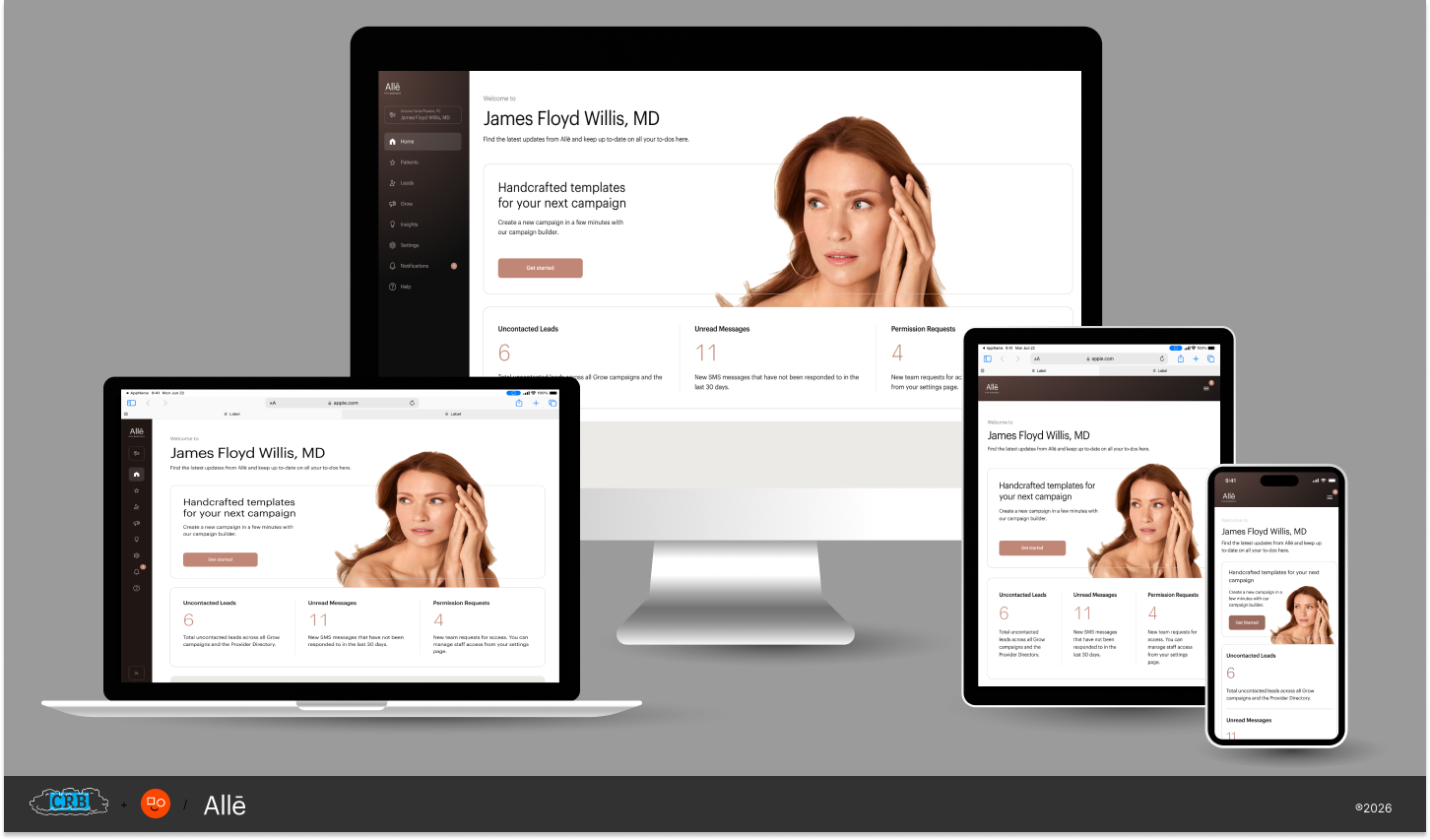
One navigation system that works the same way on a desktop, a tablet, and a phone.
  • UX
  • Design Systems
  • Navigation UI
  • Responsive
  • UX Strategy
The Allē dashboard shown on a desktop, laptop, tablet, and phone
My role
[Your role]
[What you owned]
Team
[Team]
[Makeup]
When
[Month YYYY]
[Duration]
Product
Allē platform
Part of the Allē for Business work

The quick version

The Allē platform needed a navigation that held up as the screen got smaller. I designed a responsive navigation drawer, defined how it behaves at each breakpoint, and built it as a component in the design system so every team could use it.

[One or two sentences on the problem: what was hard about the old navigation, and who it affected.]

The work
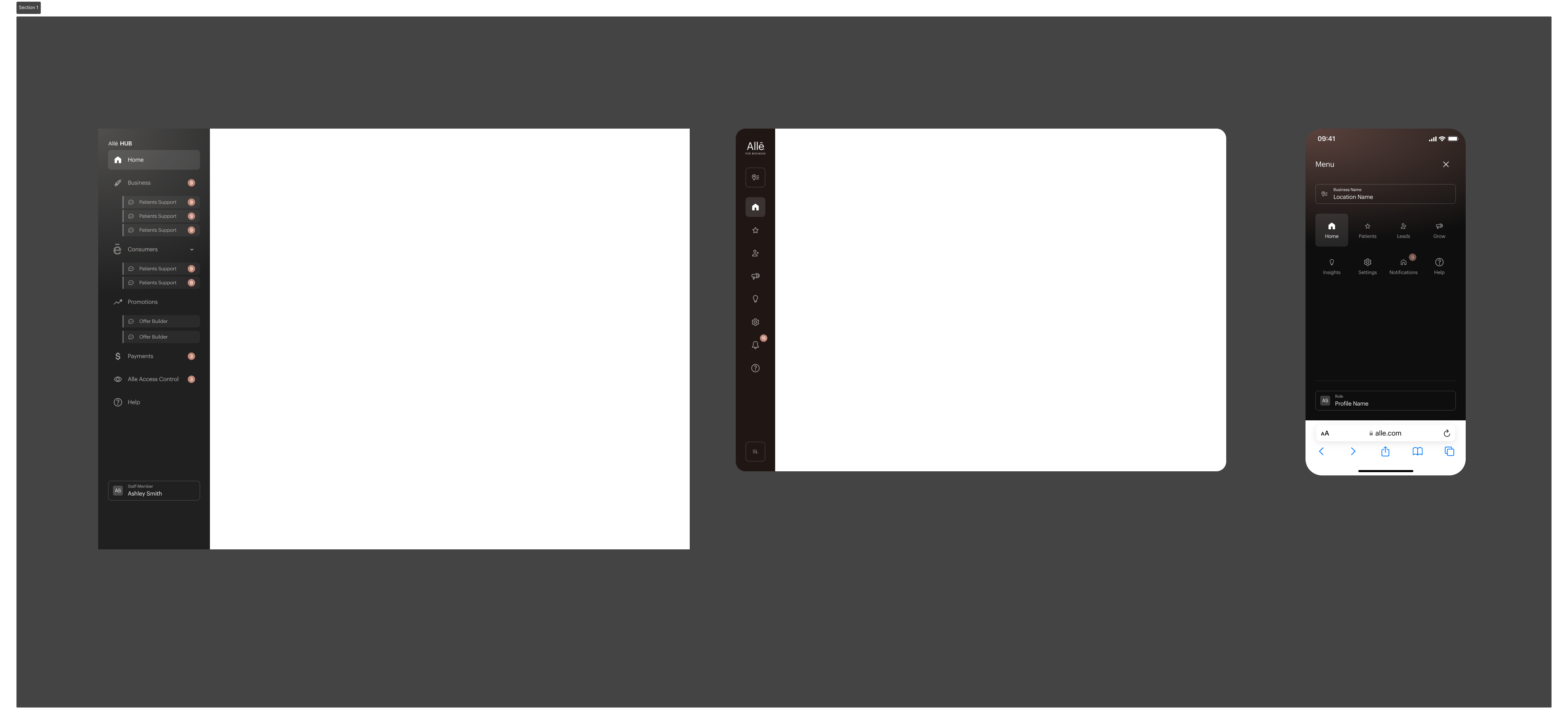
The navigation drawer designed for desktop, tablet, and mobile, shown side by side
One drawer, three sizes. The same navigation, expanded on desktop, condensed on tablet, and tucked away on mobile. [Add one more line on the decisions.]
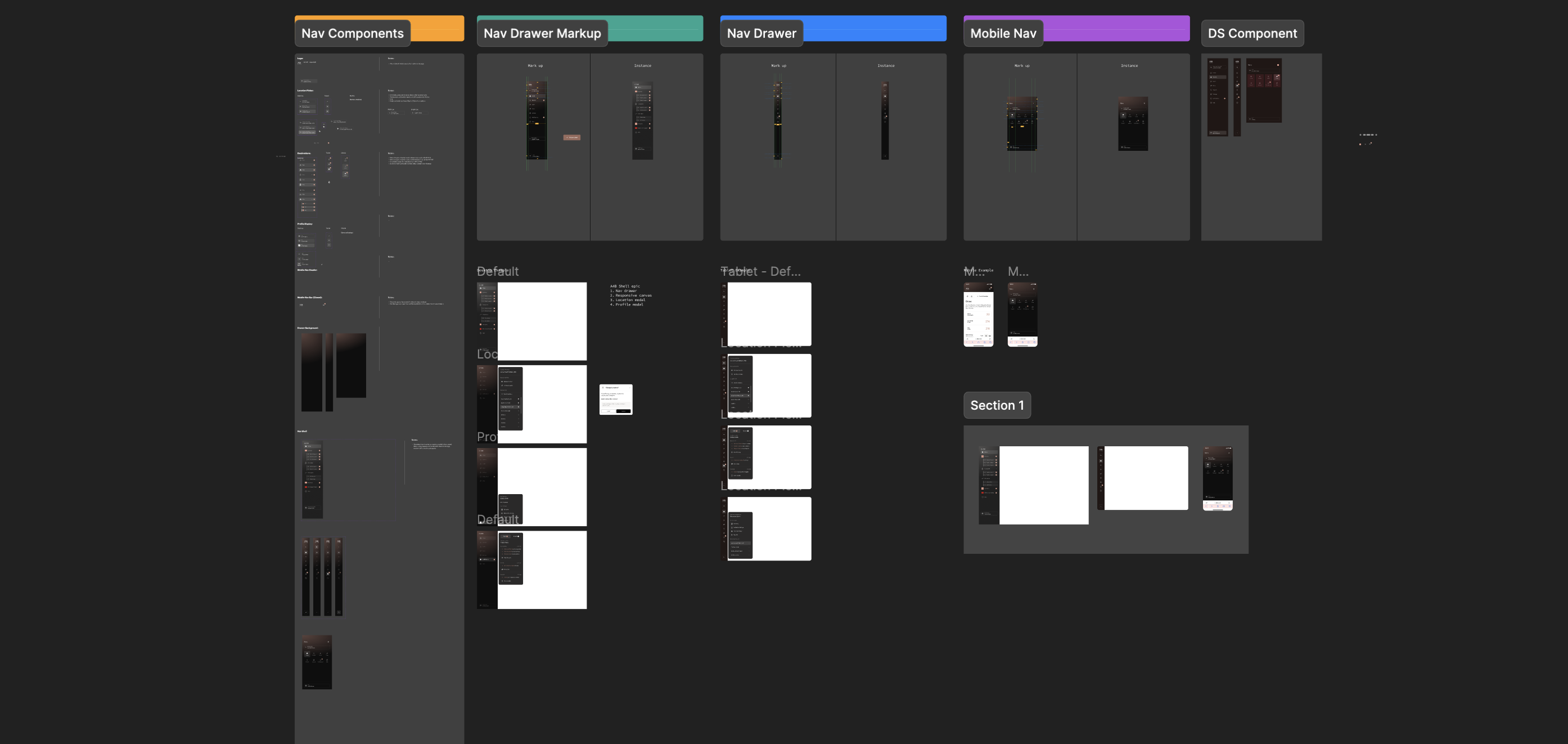
The Figma file showing nav components, drawer markup, tablet and mobile navigation, and the design system component
Built as a system. Nav components, drawer markup, and tablet and mobile variants, organized so they can be reused. [Add one more line on the design system.]
In motion. A short walkthrough of the navigation as the screen changes size. [Confirm what the video shows.]

What it shows

  • UX strategy. [How the navigation structure supported the product's goals.]
  • Design systems. [How the component was documented and reused.]
  • Responsive design. [How the behavior changes at each breakpoint.]

Want the full story?

This work is part of a bigger case study.

See the research, the journey maps, and how I helped a support team and a design organization work better together.

Read the Allē Admin case study See all work